

A surprising number of SME websites block Googlebot due to errors in a single, small text file. The damage is often simple to identify: a leftover disallow directive from a staging site, a rule that incorrectly blocks important folders, or a malformed line that crawlers cannot interpret properly.
If your pages do not get crawled, they will not support enquiries, calls, bookings, or sales from search. That is why checking for common robots.txt mistakes deserves your attention before you spend more time on content, paid ads, or website redesign work. For a broader review, use our technical SEO audit checklist to check crawling, indexing and site structure.
Key Takeaways
- Avoid Staging Errors: Ensure that restrictive robots.txt rules used during website development are not pushed to your live, public-facing domain.
- Keep Assets Accessible: Never block folders like /wp-content/ or specific CSS and JavaScript files, as search engines require these to properly render and understand your page layout.
- Differentiate Crawling from Indexing: Do not use robots.txt as a tool for removing pages from search; use the robots meta tag or X-Robots-Tag for indexing control instead.
- Maintain Correct Placement: Your robots.txt file must be a plain text file located in the root directory of your domain to be correctly identified by search crawlers.
Why one small file can hide a whole website
A robots.txt file serves as the primary instruction manual for web crawlers, defining which sections of your site they may access. By adhering to the robots exclusion protocol, these bots determine where they are permitted to go. While the robots.txt file does not improve your rankings directly, it dictates crawler access, and blocking the wrong pages or essential assets can severely limit your search visibility.
For SMEs, the risks associated with technical SEO are often amplified by rapid website updates. A WordPress plugin might be added, a developer could accidentally push a staging copy to production, or someone might paste an outdated rule without verification. If these errors cause important CSS and JavaScript files to be blocked, web crawlers may fail to render your site correctly.
This impact reaches across various industries. A contractor in Selangor might lose visibility on critical location pages, or a tuition centre in Petaling Jaya may find course pages dropping from organic search results. When search engine crawlers are restricted from these areas, the resulting negative crawler behavior can lead to a significant decline in traffic.
The problem often goes unnoticed for weeks because the site still loads perfectly for human visitors. Meanwhile, Googlebot may be blocked at the door, unable to parse the content. Even if your site appears functional in a browser, search engine crawlers may be missing key service pages, category pages, or internal design elements, resulting in a loss of organic reach.
If Google can’t fetch the files that shape your page, it may not understand the page the way your visitors do.
The robots.txt errors that block Google most often
Most robots.txt mistakes are small, but their effect is broad. Here are the ones that appear again and again on SME websites.
| Mistake | What happens | Better fix |
|---|---|---|
disallow directive left from staging | Blocks the whole site | Remove it on the live domain and protect staging with a password |
Blocking /wp-content/ or asset folders | Google cannot render CSS or JS properly | Allow files needed for layout, menus, and page rendering |
Using noindex in robots.txt | Google ignores it | Use a meta robots noindex tag or X-Robots-Tag header |
| Putting the file in the wrong place | Google may not read it at all | Place it in the root directory |
| Bad syntax or empty user-agent | Rules may be ignored or misread | Use one valid rule per line and define the crawler first |
A common WordPress mistake is blocking too much. Some site owners assume a plugin handles everything, but a plugin does not override a broken robots.txt file. If you are blocking resources like /wp-content/, /wp-includes/, or theme asset folders, Google and other crawlers like Bingbot may struggle to render the page correctly.
Staging rules cause another major problem. Developers often use a broad disallow directive on a development domain or a temporary copy. Later, that same rule gets pushed live. One line can take an entire website out of the crawl path.
Syntax matters too. You can use wildcards to refine your reach, as Disallow: /blog* may match more than you intended, while Disallow: /blog/ is more precise for a directory. A rule like Disallow: /a /b on one line is invalid. So is an empty user-agent definition. This overview of common robots.txt syntax problems is useful when a rule looks harmless but behaves oddly.
Then there are technical issues that are not visible in the file itself. A robots.txt file saved with the wrong case, the wrong encoding, or in a subfolder will not work properly. Including relative URLs for your XML sitemap can also fail, because the reference should always use absolute URLs. If the server returns a 5XX error when trying to fetch the file, crawlers may pause indexing until they can successfully retrieve the content again.
Blocking crawling is not the same as removing a page from search
Many site owners mix up the robots.txt file and the noindex directive. While they are related, they serve very different purposes for your site health.
The robots.txt file controls crawling behavior, while indexing signals manage how pages appear in search results. If you block a URL in robots.txt, Google may never reach the page to read your meta robots noindex tag. This is precisely why Google Search Console sometimes reports an “indexed, though blocked by robots.txt” error.
This distinction became more critical after Google stopped honoring noindex directives inside robots.txt files in 2023. Many older sites still carry these outdated configurations, and owners mistakenly assume the pages are safely excluded from results. They are not.
Use robots.txt when you want to guide crawl access, often to preserve your crawl budget by preventing bots from visiting sections that do not need to be indexed. However, use a meta robots noindex tag or an X-Robots-Tag header when you actually want a page removed from the index. These are separate technical decisions.
A practical example illustrates the risk. Say an online store blocks filter URLs in their robots.txt file to reduce crawl waste. That is generally fine, but if those blocked URLs also rely on meta robots noindex tags to stay out of search results, Google will never see the instruction. In one reported case, more than 3,000 parameter pages ended up in search results precisely because of this conflict.
The same confusion often happens on local service sites. A clinic might block old landing pages while adding noindex tags, expecting the pages to disappear from search results. Because the crawl block remains, Google cannot confirm the removal instruction.
The safer rule is simple: do not use the robots.txt file as a primary page removal tool. Rely on explicit indexing signals instead to ensure your site communicates correctly with search engines.
How to spot and fix crawl blocks on an SME site
You don’t need an enterprise platform to catch most blocking issues. A short manual review often finds the problem.
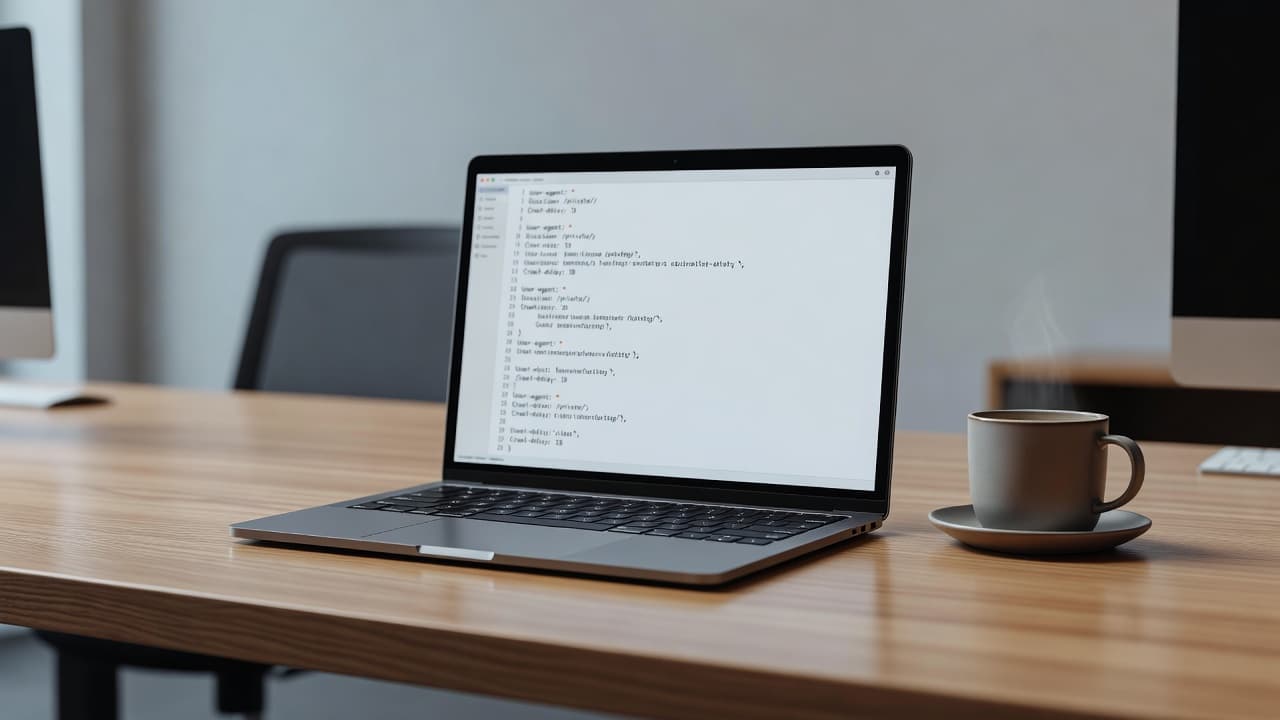
Start with the live robots.txt file located at your root domain. Check yourdomain.com/robots.txt, not a staging site copy and not a subfolder version. For development environments, use password protection instead of blocking access via robots.txt to avoid accidental indexing. Then, compare what you see against the areas Google needs to crawl.
Use this quick checklist:
- Check for site-wide blocks, such as Disallow: /, especially after redesigns or migrations.
- Review whether you are blocking resources like CSS, JavaScript, image, and theme files, including /wp-content/ on WordPress sites.
- Test key URLs in the Google Search Console URL Inspection tool to confirm whether Googlebot is allowed.
- Compare staging and live rules, because copied development settings are a frequent cause of accidental blocking.
- Confirm the robots.txt file returns a normal 200 status, sits in the root directory, and uses plain UTF-8 text.
Also review your sitemap location and your user-agent sequence. While Google ignores the crawl-delay directive, other web crawlers may still follow it, so be mindful of your configuration. Remember that a shop on shop.domain.com needs its own robots file; the main site’s file does not control a separate subdomain.
If you find a mistake, fix the rule first, then request re-crawling of important URLs in Google Search Console. Watch logs and coverage reports after the change. Google won’t always recover instantly, but access needs to be corrected before improvement can happen.
When crawl issues sit alongside weak internal links, slow templates, or messy page structure, they usually need a broader review. For Malaysian businesses that want that bigger picture, PixelPro’s professional SEO services in Malaysia cover technical fixes, content planning, local SEO, analytics tracking, and website improvement in one practical workflow.
A crawl fix only matters if the rest of the site is worth crawling
Opening the gate for Google is only the first step of your technical SEO strategy. Once your robots.txt file is optimized to allow access, your site still needs clear service pages, sensible internal linking, fast load times, and content that answers real customer questions.
This is essential for local businesses across Malaysia. Even when search engine crawlers can successfully reach your pages, they will struggle to rank your site if they find thin content, duplicated pages, or a poor site structure. Web crawlers ultimately prioritize high-quality signals, so the foundation matters whether you are investing in SEO Malaysia, building AEO Malaysia content, improving GEO Malaysia visibility, or testing AISEO workflows. None of these efforts will yield results if crawl access is hindered at the start.
For SMEs, the business goal remains simple. You want to ensure Google can easily reach the specific pages that help potential customers enquire, book, call, or buy.
Frequently Asked Questions
Can I use the robots.txt file to remove a page from Google search results?
No, you should not use robots.txt to de-index pages. If you block a page in robots.txt, Google cannot crawl it to see any “noindex” tags you might have added, which can lead to the page remaining in search results even though it is blocked.
What happens if I accidentally block my CSS or JavaScript files?
If search engines cannot access these essential assets, they may struggle to render your website correctly. This often results in a poor representation of your content in search results and can negatively impact your overall SEO performance.
How do I check if Google is currently blocked from my site?
You can use the URL Inspection tool within Google Search Console to test specific pages on your site. This will provide a clear report on whether Googlebot is being restricted by your robots.txt configuration or other directives.
Do I need a separate robots.txt file for my subdomains?
Yes, each subdomain is treated as a separate entity by search engines. You must ensure that each subdomain has its own properly configured robots.txt file in its respective root directory.
Conclusion
A broken configuration can waste months of SEO work because Google never gets a fair look at the pages that matter. The most costly robots.txt mistakes are usually the simplest ones, such as site wide disallows, blocked assets, staging rules left on live sites, and general confusion regarding how these instructions interact with search engine crawlers.
Always check the live file located in your root directory to keep the syntax clean and avoid using these directives as a shortcut for removing pages from search. Small fixes to your robots.txt file can restore visibility much faster than publishing another ten blog posts on a site that bots cannot access.
If you would like a second check on crawl access, site structure, and search visibility, you can get an SEO audit and review whether Google is reaching the right parts of your website.
