
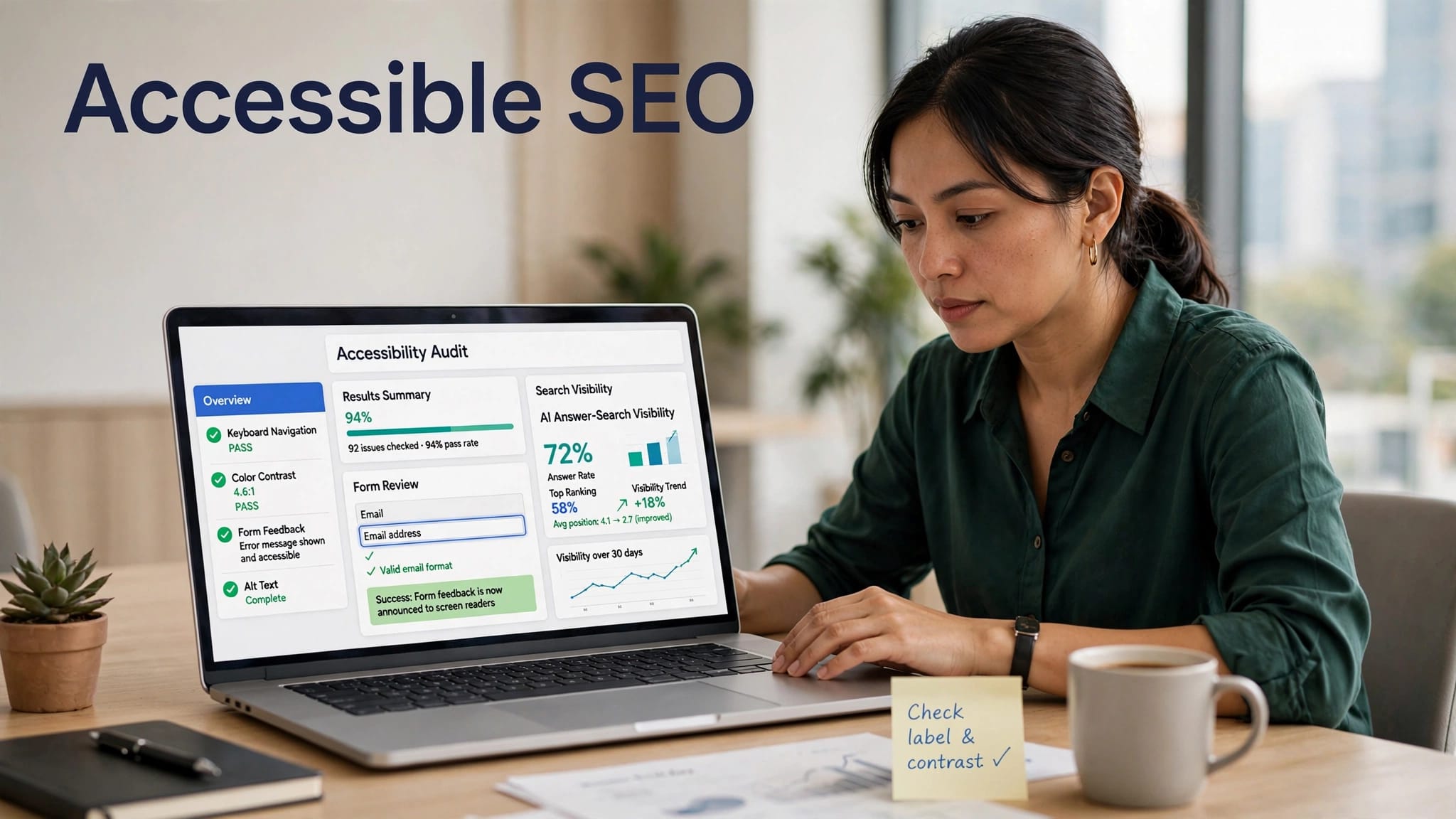
A website can look polished yet still block a customer who can’t use a mouse. They may also struggle to read low-contrast text or understand an unclear form error. These barriers can make it harder for search engines and AI systems to interpret the page accurately.
A website accessibility checklist helps Malaysian businesses improve access while supporting Google visibility. Accessibility isn’t a direct Google ranking factor by itself, and WCAG conformance doesn’t guarantee higher rankings. Digital accessibility and inclusive design remove barriers from customer journeys. Accessible pages can support user experience, content understanding, crawlability, mobile use, and conversion performance.
The work starts with structure, then moves into testing with real users.
Website accessibility checklist: the direct answer
A website accessibility checklist reviews whether people and machines can access, understand, navigate, and complete important tasks on your website. It combines accessibility practices with technical SEO, including crawlable pages, descriptive titles, logical headings, and useful internal links. These improvements can strengthen the user experience, but passing WCAG isn’t an SEO ranking signal or guarantee of Google visibility.
WCAG 2.2 is the current W3C accessibility standard. It builds on WCAG 2.1 and adds nine new success criteria, including improved requirements for focus visibility and accessible authentication. For most business websites, Level AA is a sensible operational target. Following WCAG guidelines isn’t automatically the same as legal compliance; obligations vary by country, sector, and contract.
Key takeaways for business owners
- Use semantic HTML so page regions, headings, buttons, forms, and tables have clear meaning.
- Write useful descriptions for meaningful images, while leaving decorative images with empty alt text.
- Keep normal text at a 4.5:1 contrast ratio and large text at 3:1 or higher.
- Test every key journey with a keyboard and a screen reader, not only with a mouse or touch screen.
- Review pages with automated scans, then verify real interactions by hand.
- Publish clear answers to customer questions in well-structured service pages and FAQs.
A page can pass an automated scan and still fail a customer trying to open a menu, select a date, or submit a form without a mouse.
Build a structure that screen reader users and Google can read
Search bots and users both rely on well-organised content, and semantic HTML gives page regions and controls machine-readable meaning. Pages full of visual styling but weak HTML are harder to interpret, index, and use.
Your website accessibility checklist should begin with the page template, because template-level mistakes can affect hundreds of URLs.
Use headings and landmarks in a logical order
Review the heading structure before styling, then give each page one clear H1 that describes its primary topic. Follow it with H2 and H3 headings in sequence. Don’t choose heading tags only to make text look larger. Use CSS for styling and HTML headings for meaning.
Landmark elements such as header, nav, main, article, aside, and footer help a screen reader user move through a page quickly. They create a clearer navigation structure, improve orientation for assistive technologies, and make important page regions easier to interpret.
For example, a Selangor contractor’s service page could use an H1 for “Commercial Renovation Services”, H2s for project types and process, then H3s for office renovation, retail fit-outs, and factory upgrades.
Prefer native HTML before adding ARIA
Semantic HTML gives a real button its correct meaning and communicates that it is interactive. Other interactive elements, such as a clickable div, often create extra work. Developers must add keyboard controls, focus behaviour, and an accessible name manually.
Use label elements for form fields, caption and th for data tables, and ordered or unordered lists for grouped information. ARIA attributes can fill genuine gaps, but they shouldn’t replace native semantic elements.
Make text, images, and media easy to perceive
Accessibility isn’t only a developer task. Content teams support digital accessibility through daily choices about image descriptions, link language, colour choices, and media publishing.
These details affect whether a visitor can understand an offer before deciding to call, book, buy, or send a WhatsApp enquiry. They are part of a clearer user experience.
Write alternative text with purpose
Alternative text should explain the information an image contributes. A photo of a dentist examining a patient on a clinic service page may need alt text such as “Dentist examining a patient during a consultation.” This gives someone using a screen reader useful context. A decorative background pattern needs alt="" so it doesn’t create noise.
Avoid vague labels such as “image”, “photo”, or file names like banner-final-2.jpg. Don’t repeat nearby captions word for word either.
Icon-only controls also need accessible names. A magnifying glass button requires a label such as “Search”. A social media icon needs to identify the destination.
Check contrast and avoid colour-only instructions
WCAG requires a minimum color contrast ratio of 4.5:1 for normal text and 3:1 for large text. W3C’s contrast guidance explains the exceptions and measurement rules.
Don’t rely on colour alone to explain a form error or chart result. A red field border should also include readable text that tells the user what needs fixing. Likewise, video captions help people watching without sound, while audio transcripts provide an alternative to listening. Use them when your content includes video or audio.
Test keyboard paths, forms, and dynamic features
Keyboard accessibility matters for users with motor disabilities and people who depend on a screen reader. It supports assistive technologies without a mouse or touch screen and protects access and conversions, but isn’t a ranking factor. Every interactive item should work with Tab, Shift+Tab, Enter, Space, and arrow keys where appropriate.
Start on the homepage, then test the same journeys that produce revenue: service enquiry, product search, appointment booking, checkout, account login, and file download.
Use manual testing to complete each journey without a mouse.
Keep focus visible and avoid keyboard traps
When a user presses Tab, the focus indicator must stand out. It should remain visibly distinct on light and dark sections, images, and banners. Don’t rely on a color-only cue.
Menus, accordions, carousels, chat widgets, cookie banners, and pop-up dialogs often cause trouble. Test these interactive elements with a keyboard, ensuring users can enter, operate, and exit each component.
A modal dialogue should move focus into the dialog when it opens. Once closed, focus should return to the control that launched it. Otherwise, users can lose their place on the page.
Make forms recoverable after mistakes
Use visible form labels for every input. Placeholder text disappears once a person starts typing, so it isn’t a substitute for persistent labels.
Explain required fields before submission. Clear error identification should tell visitors which field needs correction and how to correct it. For a booking form, “Please enter a valid mobile number” uses plain language and helps more than “Invalid input.”
Also check timing limits, CAPTCHA steps, and password rules. WCAG 2.2 places added attention on accessible authentication, so businesses shouldn’t make a memory puzzle the only way to log in.
Connect accessibility with AI search visibility
Google’s AI experiences may present summaries with links to supporting web pages. Google’s guidance for generative AI features still centres on accessible, crawlable pages with helpful content.
This is where accessibility and AI-powered SEO meet. Accessibility remains distinct from SEO and isn’t a direct Google ranking factor. Clear, accessible, crawlable content can help systems understand entities, services, locations, and answers.
Use answer-led content without flattening expertise
A clear heading structure and short, direct answer near the top help customers scan quickly. Follow it with evidence, process details, limitations, pricing context where appropriate, and related questions to support a better user experience.
For example, a Kuala Lumpur accounting firm can list tax filing, audits, bookkeeping, and payroll services. It can identify the business types served, locations covered, qualifications, and common client questions. That structure helps potential clients compare options and helps systems identify the business, service, and context.
AI SEO is not a shortcut to automatic citations in AI answers. It combines technical health, content quality, entity context, and search usefulness to improve how people and systems interpret your website.
The work of an AI SEO Agency can connect technical SEO, content quality, entity signals, and accessible page structures to real business outcomes.
Run automated scans, then test with people
Automated accessibility testing is an efficient first pass. Tools such as axe DevTools, WAVE, Lighthouse, and Accessibility Insights are automated tools that identify patterns, including missing labels, weak contrast, heading problems, and some ARIA attributes.
However, no scan can judge whether an image description is meaningful or whether a form makes sense during a stressful task. Manual testing closes that gap.
Use a practical monthly audit routine
Start with your highest-value pages, including the homepage, service pages, product categories, contact form, checkout, booking flow, and downloadable PDFs. Include document accessibility in the PDF review, then test on mobile and desktop, prioritizing mobile responsiveness.
A useful monthly routine for accessibility testing includes:
- Run an automated scan and sort errors by affected templates and customer impact.
- Complete essential tasks using only a keyboard.
- Use manual testing with a screen reader such as NVDA, JAWS, or VoiceOver.
- Check titles, headings, links, form labels, contrast, captions, and error messages.
- For error identification, record the problem, affected URL or template, owner, priority, customer impact, and retest date.
W3C’s WCAG 2.2 quick reference is useful when developers need to check the exact success criteria in the WCAG guidelines. Pair it with a Google Search Console setup to monitor indexing, page experience, and search performance after fixes go live.
Choose an AI SEO partner that tests beyond rankings
Businesses seeking an AI SEO Agency Malaysia partner should ask how the provider reviews inclusive design across navigation, semantic markup, readable content, and conversion paths. A rankings report alone cannot show whether customers can use the website.
A trusted AI SEO agency should provide a prioritised audit, explain issues in plain language, and connect fixes to commercial pages and real customer journeys. It should also track organic clicks, qualified enquiries, calls, bookings, and other outcomes that matter to the business.
Trust signals worth asking for
Look for a documented testing process, transparent reporting, access to your analytics accounts, and recommendations tied to your website rather than generic templates. The agency should distinguish between technical facts, practical improvement opportunities, and claims it cannot guarantee.
For firms building answer engine optimisation and generative search readiness, AEO services for Malaysian businesses can support clearer FAQ coverage, structured answers, and stronger page context.
Accessibility can also reduce compliance and procurement risk. Legal compliance requirements differ by country, industry, procurement requirement, and client contract. This article is not legal advice, so qualified counsel may be needed when formal obligations apply.
Conclusion
Accessible websites give more people a fair chance to understand and use your business. They also provide organised content that Google and AI search systems can interpret with greater confidence.
Treat the website accessibility checklist as ongoing digital accessibility maintenance, not a one-time badge or scan result. Small fixes to labels, focus states, headings, and content structure can improve the user experience. They can also remove major friction from a customer journey.
These improvements can support clearer content, crawlability, and conversions. Accessibility isn’t itself a direct Google ranking factor, so no ranking outcome is guaranteed.
Frequently Asked Questions
Does accessibility directly improve Google rankings?
Google does not promise a ranking boost for passing WCAG checks, and accessibility is not a direct Google ranking factor. Still, accessible pages can improve crawlability, content clarity, mobile experience, and usability while reducing friction that costs enquiries or sales.
Can automated tools replace human review?
No. Although automated tools find useful technical issues, they can’t judge whether content is understandable or an interaction flow works properly. Use accessibility testing with keyboard checks and a screen reader review. Apply manual testing and human judgment before marking important pages complete.
What should Malaysian SMEs fix first?
Start with pages that generate leads or revenue. Correct unclear field labels, broken keyboard navigation, low-contrast text, vague link text, weak headings, and inaccessible booking or checkout steps. Assess legal compliance separately with qualified advice. If you want practical advice on website structure, AI search readiness, and Google visibility, get an SEO audit from PixelPro.
